
Color Analysis - Dressika
Seasonal Color Analysis AIBeauty
4.1358.00 Reviews
- Version
- 2.5.2
- Installs
- 5.00M
- Age Rating
- Everyone
Screenshots
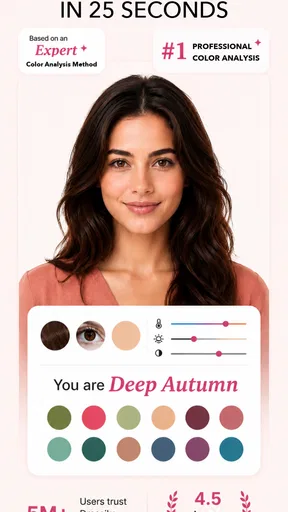
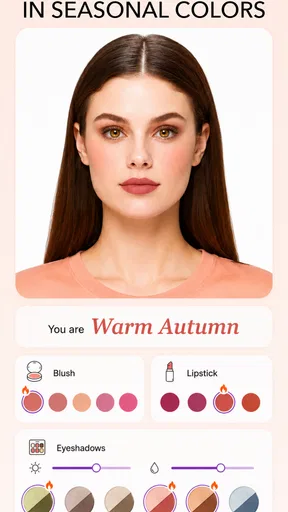
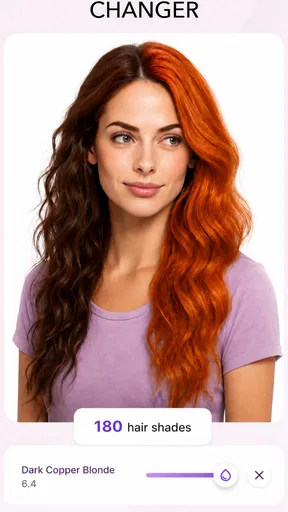
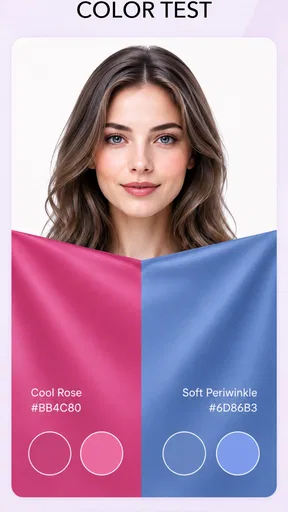
Our Review of Color Analysis - Dressika
 Analysis by Appyee
Ever stood in front of your closet, utterly bewildered by what to wear? Or maybe you've wondered if that new shirt you bought is really your color? Well, you're not alone, and that's where Color Analysis - Dressika comes into play. I recently took a deep dive into this app, and I'm here to spill the beans on how it can transform your wardrobe game.
Getting Started with Dressika
Dressika is a beauty app from Seasonal Color Analysis AI, built around matching a person with colors that suit their appearance. It is free to install, which makes trying its central idea an easy decision; optional in-app purchases range from $0.99 to $39.50 per item. I would treat that distinction plainly: you can explore the app without an upfront purchase, while the price of any paid extras is something to weigh for yourself before buying.
It has a 4.1 average from around 36,000 ratings, and has been installed over 5 million times. Those figures suggest plenty of people have tried it, but they do not tell me whether its color advice will suit a particular person. My own view is that the useful test is whether the suggested palette helps you make better choices with clothes you already own, rather than whether the app can deliver a perfect label.
First off, let's talk about what Color Analysis - Dressika actually does. It's essentially your personal color consultant, right in your pocket. When I first installed it, I was a bit skeptical. I mean, could an app really tell me what colors suit me best? But I have to say, it surprised me.
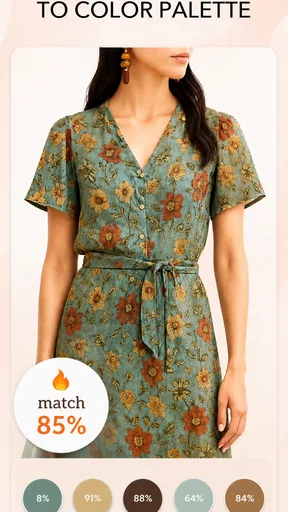
The app kicks off with a simple onboarding process. You snap a quick selfie in good lighting (natural light is your friend here), and voila! It analyzes your skin tone, eye color, and hair shade to determine your "color season." Sounds fancy, right? But don't worry, it's all explained in a straightforward way. I found the whole process quite intuitive, even for someone who's not the most tech-savvy.
Getting a more useful result from the selfie
I would take the selfie as a starting point, not a final verdict. The result depends on what the camera sees, so a strongly colored wall, a bright window behind you, or a filter can influence the impression of your skin and hair. For a fairer comparison, use even daylight, face the light rather than standing with it behind you, and keep the image free of filters. If your first result feels off, retaking the photo under calmer lighting is more sensible than rebuilding your wardrobe around it.
There is also a practical distinction between a palette that looks appealing on a screen and one that works in your life. Phone displays can make colors look more vivid or cooler than they appear in a shop or at home. I use the recommendations as a shortlist: they help me notice shades worth trying, but I still check a garment near my face and in ordinary lighting before deciding it belongs in my closet.
The Magic of Color Seasons
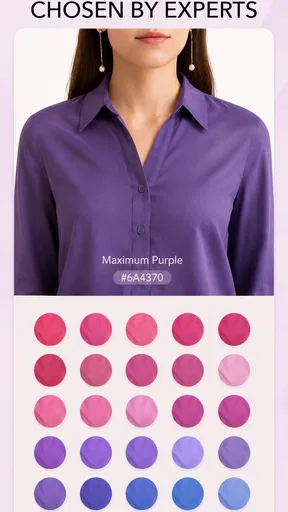
Once Dressika pinpoints your color season, it opens up a world of possibilities. The app categorizes colors into seasons like Winter, Spring, Summer, and Autumn, each with a unique palette. I was categorized as a "Winter," which means cool, vibrant shades are my jam. The app then offers a detailed list of colors that would flatter me the most.
I was curious, so I pulled out a few pieces from my wardrobe that matched the Winter palette. And guess what? It actually worked! The colors complemented my skin tone beautifully. It's like having a personal stylist without the hefty price tag.
The most useful way to test a season is to compare colors you already have, especially pieces you know you wear often and feel good in. Rather than asking whether every item fits the palette, I would start with tops, scarves, or jackets near the face, where a color can make a more noticeable difference. A season should guide a choice, not turn into a rule that makes you reject a favorite outfit that feels right.
Navigating the Features
Beyond just determining your color season, Dressika is packed with features. One of my favorites is the "Virtual Closet." Here, you can upload photos of your clothes, and the app helps you mix and match outfits based on your color profile. It's like playing dress-up but with a purpose.
To make a virtual closet genuinely helpful, I would add a few versatile pieces first instead of photographing everything at once. Start with the items you reach for every week, then add a couple of less-used pieces you are unsure how to style. That small edit makes it easier to see whether the palette connects with your actual wardrobe. It also avoids turning setup into a separate project that takes longer than choosing an outfit.
A realistic use for this is getting ready for a busy morning. If I have a meeting and only a few minutes to choose an outfit, I can use a small selection of photographed clothes to narrow down combinations instead of trying every option on. The app can help organize possibilities, but it cannot account for the weather, comfort, dress code, or whether a garment needs washing. I still make those calls myself, which is why I see the closet tool as a planning aid rather than an automatic stylist.
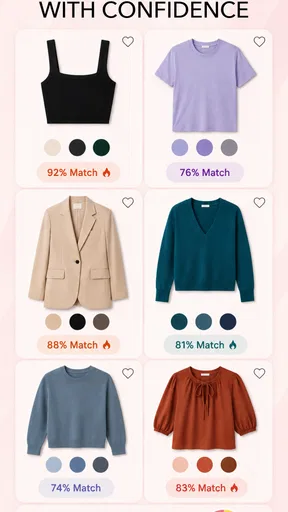
Another handy feature is the "Shopping Assistant." I often find myself overwhelmed in stores, unsure of what to buy. With this tool, I can check if a piece of clothing matches my color palette before I even make a purchase. It’s a game-changer for avoiding those impulse buys that never see the light of day.
For shopping, I find the feature most useful when I already have a specific item in mind and want a second opinion on its color. It is less useful as a substitute for trying something on: color suitability does not tell you whether the cut fits, the fabric feels good, or the item works with the rest of your closet. A useful habit is to ask two separate questions: “Does this shade suit me?” and “Will I wear this often?” The first is where the palette can help; the second remains a personal decision.
Compared with the usual alternatives, Dressika sits between a quick online color quiz and an in-person color consultation. A quiz may be faster but can offer little help turning a result into outfit choices; a human consultant can consider how colors look on you in person, but takes more planning and money. Dressika’s appeal is convenience: a selfie-based starting point paired with wardrobe and shopping tools. Its trade-off is that camera-based guidance cannot recreate the nuance of seeing fabric and skin together in changing light.
The Community Vibe
One thing I didn't expect was the strong community aspect. Dressika includes a section where users can share their experiences, outfit ideas, and even seek advice. It's like having a fashion-forward friend group at your fingertips. I found some fantastic style tips and even managed to give a few of my own. There's something really satisfying about being part of a community that shares your fashion journey.
I would use shared outfits for inspiration, not as evidence that one person’s color rules apply to everyone. People can have different preferences, lighting, and interpretations of a season, so the most helpful posts are the ones that give you an idea to try rather than a standard you feel you must copy. If you prefer to make style decisions privately, the app’s personal palette and wardrobe functions are the more direct reasons to try it; the community is an extra, not the whole point.
A Few Thoughts on Usability
While the app is quite user-friendly, I did encounter a couple of hiccups. For one, the selfie analysis requires good lighting and a steady hand. I had to retake my photo a couple of times before getting it right. Also, the app occasionally lagged when uploading items to the Virtual Closet. However, these were minor issues in the grand scheme of things.
There is a learning curve in deciding how much to trust a color recommendation. If you want a definitive answer about every shade, the app may frustrate you; color analysis is best treated as guidance, especially when the image conditions are not ideal. I would also think about the time involved in adding wardrobe photos. People who enjoy cataloguing clothes may find that worthwhile, while anyone who wants an instant answer without setup may prefer a simple palette reference or a quick try-on in front of a mirror.
On the plus side, the app's design is sleek and modern, making navigation a breeze. The developers clearly put a lot of thought into the user interface, which makes the experience all the more enjoyable.
The app is listed for Everyone, and its current version is 2.3.7, with Android 7.0 or later required. That makes it relevant to a broad range of Android users, though anyone using an older system should check compatibility before planning around it. The age rating says who can access it; it does not mean the app’s fashion advice will fit every style, budget, or reason for choosing clothes.
Who is likely to get value from it?
I think Dressika makes most sense for someone who is curious about personal color analysis and wants to turn that curiosity into small, practical wardrobe decisions. It can be especially handy if you are trying to shop more thoughtfully, reconsider colors you usually avoid, or build outfits from clothes you already own. The free entry point lets you see whether that approach clicks before deciding whether any optional purchase is worthwhile.
It is less compelling if you already know your preferred colors and do not want a digital closet, or if you expect a selfie to settle a nuanced question with certainty. Someone who needs tailored advice for a special event, or who wants a professional to assess fabrics in person, may be better served by a human consultation. And if you dislike taking or organizing clothing photos, the closet feature may not repay the effort for you.
On cost, I see the app as a low-commitment experiment rather than something I would recommend paying for automatically. The basic free access is a clear reason to try it; paid items have a broad listed range, so I would check what a specific purchase unlocks and whether I will use it before spending. I would not assume that every feature requires payment, or that paying guarantees more accurate color analysis.
Final Thoughts
So, is Color Analysis - Dressika worth your time? In my opinion, absolutely. Whether you're a fashion novice or a seasoned style guru, this app has something to offer. It takes the guesswork out of choosing outfits and helps you feel confident in your clothing choices.
My recommendation comes with one condition: treat the season result as a helpful suggestion, not a strict identity. The strongest value is in using it to notice patterns, test colors against clothes you own, and pause before buying something that may not fit your wardrobe. If you want a convenient companion for that process, it is worth a try; if you want expert, in-person judgment or instant certainty, choose another route.
If you're ready to banish those "I have nothing to wear" mornings, give Dressika a try. It might just change the way you look at your wardrobe. And who knows? You might discover a new favorite color along the way.
Ready to explore the world of color? You can download Color Analysis - Dressika on Android and iOS. Happy styling!
Privacy and Permissions
See what permissions an app requests and how it handles your data.
- Other
- view network connections, full network access, run at startup, prevent device from sleeping, Google Play license check
Verdict
Strengths of Color Analysis - Dressika
- User-friendly interface makes navigation easy.
- Provides personalized color recommendations.
- Wide range of color palettes available.
- In-app tutorials enhance user understanding.
- Syncs smoothly with wardrobe planning apps.
Limitations of Color Analysis - Dressika
- Limited free features without subscription.
- Occasional glitches in color detection.
- Requires a stable internet connection.
- Some palettes need frequent updates.
- Ads can be intrusive in the free version.
Similar Picks in This Category
View All
Beauty Makeup Editor & Camera
Photo & Video Editors - Instant Solution4.7

Perfect365: Face Makeup Editor
Perfect365, Inc.3.5

Mirror Plus - HD Mirror app
Digitalchemy, LLC4.8

Cute Lock Screen & Wallpapers
Prometheus Interactive LLC4.6

HD Camera for Android
One Music Player4.5

Phone Mirror app - True Mirror
Cards4.6
Frequently Asked Questions
What is Color Analysis - Dressika and how does it work?
Color Analysis - Dressika is an app designed to help users identify the colors that suit them best based on their skin tone, hair, and eye color. By uploading a photo or answering a few simple questions, users receive personalized color palettes that enhance their natural appearance, making it easier to choose clothing and accessories that complement their unique features.
Is Color Analysis - Dressika suitable for all skin tones?
Yes, Color Analysis - Dressika is designed to cater to a diverse range of skin tones. The app uses advanced algorithms to analyze various skin undertones, ensuring that users receive an accurate and personalized color palette. Whether you have a warm, cool, or neutral undertone, Dressika can provide tailored color recommendations.
Can I use Color Analysis - Dressika for makeup recommendations?
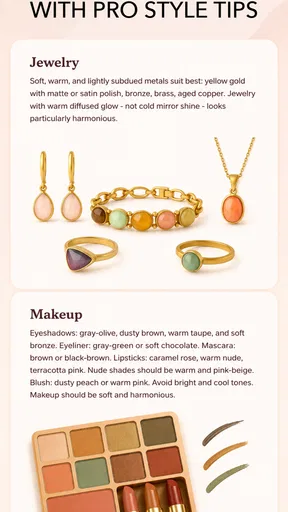
Absolutely! In addition to clothing and accessories, Color Analysis - Dressika can also offer makeup recommendations. Once your personalized color palette is generated, you can use it to select makeup shades that complement your complexion, enhancing your natural beauty and ensuring a cohesive and flattering look.
Does Color Analysis - Dressika require an internet connection to function?
While an internet connection is required to initially download and set up Color Analysis - Dressika, many of its features can be used offline. However, for real-time analysis and access to the latest updates or additional features, an active internet connection is recommended.
Are there any in-app purchases or subscriptions in Color Analysis - Dressika?
Color Analysis - Dressika offers a free version with basic features. However, to unlock advanced features such as detailed color analysis, personalized style advice, and exclusive palettes, users can choose to make in-app purchases or subscribe to a premium version. This allows for a more comprehensive and customized experience.
